Scott
Building digital products in 2026 requires unprecedented speed. Yet, many distributed teams still spend months debating features without testing them against real user needs. If your team is stuck in planning loops, mastering how to run a design sprint is the fastest way to break the deadlock. Originally popularized by Google Ventures, this five-day design sprint framework aligns cross-functional teams, prototypes solutions, and validates ideas with real customers. But as hybrid work and generative AI reshape collaboration, traditional setups are breaking down. This guide explores what is a design sprint today, how the modern design sprint process operates, and how unified design software streamlines execution.

Part 1: Back to basics: What is a design sprint in the AI era?
Let's clearly define what is a design sprint for modern product teams. At its core, a sprint is a time-constrained, five-day methodology designed to answer critical business questions through collaborative ideation, rapid prototyping, and live user testing. Instead of investing tens of thousands of dollars to build and launch a minimum viable product (MVP) just to see if an idea gains traction, a design sprint allows your team to fast-forward into the future to see how customers react before writing a single line of backend code.
When newcomers ask what is a design sprint, they often confuse it with standard agile development sprints. While agile methodologies focus on executing engineering tasks and shipping working software incrementally over two-week cycles, a Google design sprint focuses entirely on product discovery, problem framing, and risk mitigation.
AGILE SPRINT VS DESIGN SPRINT
- Agile Sprint: Builds and ships production code incrementally
- Design Sprint: Frames problems, builds mockups, validates hypotheses
By 2026, the standard design sprint process has evolved significantly. Teams no longer gather exclusively in physical conference rooms covered in paper sticky notes and dry-erase boards. Distributed hybrid workspaces are the baseline standard, and enterprise teams expect artificial intelligence to handle the tedious administrative heavy lifting of clustering ideas, timing sessions, and generating wireframes.
Part 2: The modern setup: Eliminating tool fragmentation with Pixso
One of the most frustrating logistical hurdles when planning how to run a design sprint is software fragmentation. In a traditional digital setup, facilitators force participants to brainstorm in standalone whiteboard utilities like Miro or FigJam, manually export those concept sketches into interface design tools like Figma or Sketch, and then upload assets to separate handoff portals for developers. This constant jumping between platforms breaks visual context, creates version control headaches, and causes cognitive friction for non-designer participants like product managers and marketers.
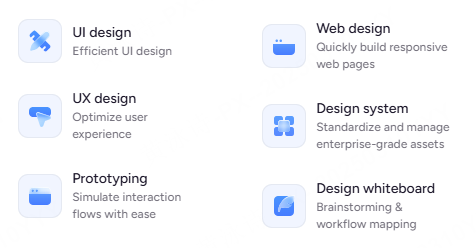
Pixso solves this operational bottleneck by offering a single, unified collaborative canvas. As an all-in-one UI/UX design platform, Pixso natively combines infinite digital whiteboards, professional vector UI design tools, interactive prototyping, and developer code delivery inside the exact same file.
PIXSO UNIFIED SPRINT LOOP
Infinite Whiteboard ➔ AI Wireframing ➔ High-Fidelity Prototype
Brainstorm, design, test, and hand off code inone shared file
Here is how Pixso optimizes lightweight 2026 sprint setups:
Native AI Assistance Built-In
Pixso integrates native AI capabilities directly into your whiteboard workspace without charging extra add-on credit fees. During intensive brainstorming sessions, facilitators can use AI to automatically cluster hundreds of messy sticky notes by thematic category, convert rough hand-drawn doodles into structured digital wireframes, and run automated meeting countdown timers to keep discussions strictly on schedule.
Complete Governance and Decision Control
Running remote sprints with global stakeholders requires structured decision-making tools. Pixso includes native free dot-voting features, anonymous review modes to prevent bias, and granular visitor permissions. Facilitators can archive immutable file version histories at the end of each working day, ensuring every strategic product decision is permanently documented for executive review.
Part 3: Day-by-day breakdown: The 2026 design sprint process
Executing a successful validation week requires strict adherence to daily milestones. Let's examine how the modern design sprint process unfolds across a standard five-day working week.
THE 5-DAY SPRINT SCHEDULE
- Day1: Map the challenge anddefine the long-term goal
- Day2: Sketch competing solutions independently
- Day3: Decide on the best concepts using anonymous voting
- Day4: Build a realistic high-fidelity prototype
- Day5: Test with target users and analyze feedback
Day 1: Understand and Map
Bring your cross-functional experts together on the Pixso digital whiteboard. Start the morning by agreeing on a long-term product goal and mapping out the end-to-end customer journey. Invite internal experts from sales, engineering, and customer support to deliver short lightning talks. By the end of the afternoon, select a specific, high-risk target moment on the journey map to focus your prototyping efforts on.
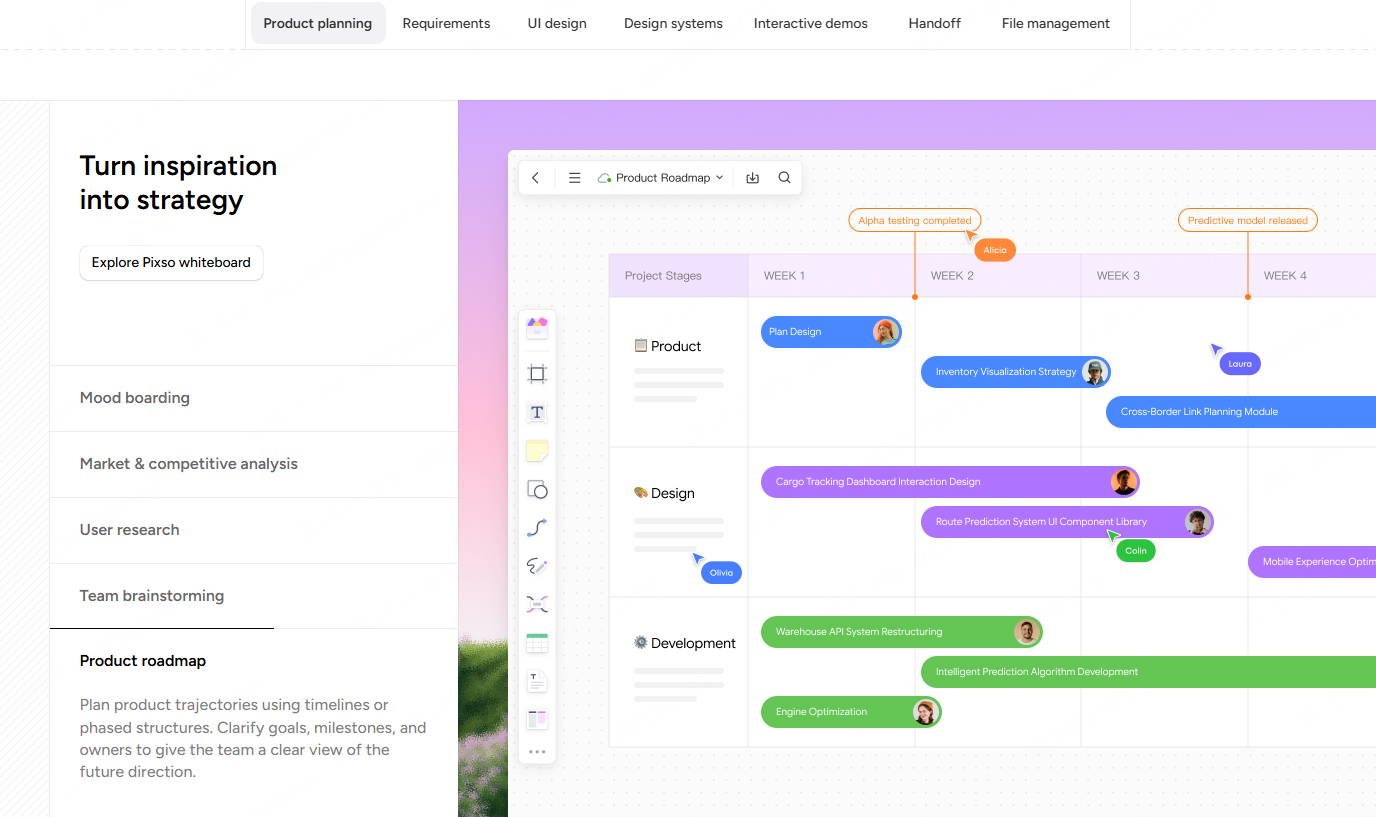
Day 2: Sketch Competing Solutions
Instead of loud group brainstorming where extroverts dominate, participants sketch competing concepts independently. Using Pixso's digital drawing tools and lightweight UI shapes, team members outline four-step product storyboards. For non-designers who feel self-conscious about drawing, Pixso's AI sketch-to-wireframe utility translates rough visual shapes into clean digital layouts instantly.
Day 3: Decide and Vote
Critique the submitted solutions without allowing lengthy sales pitches. Facilitators use Pixso's anonymous dot-voting feature to generate visual heatmaps over the most promising interface elements. The designated Decider makes the final strategic selection, and the team merges the winning ideas into a single, cohesive product storyboard.
Day 4: Prototype the Experience
This phase highlights the immense power of Pixso's unified canvas. Designers translate the approved storyboard directly into a high-fidelity interactive prototype without exporting files to external software. Because Pixso links directly to your shared enterprise design system, designers can drag and drop production-ready buttons, input fields, and navigation bars to build a realistic app simulation in just a few hours.
Day 5: Test and Validate
Conduct live, one-on-one video interviews with five target customers using your interactive prototype. As team members take observation notes on digital sticky notes, Pixso's integrated AI analysis engine automatically processes the feedback, categorizes user friction points, and generates a comprehensive sprint summary report for executive stakeholders.
Part 4: Choosing the right design sprint template for your industry
When learning how to run a design sprint, starting with a structured template is non-negotiable. Building complex digital boards from scratch wastes hours of valuable facilitator preparation time.
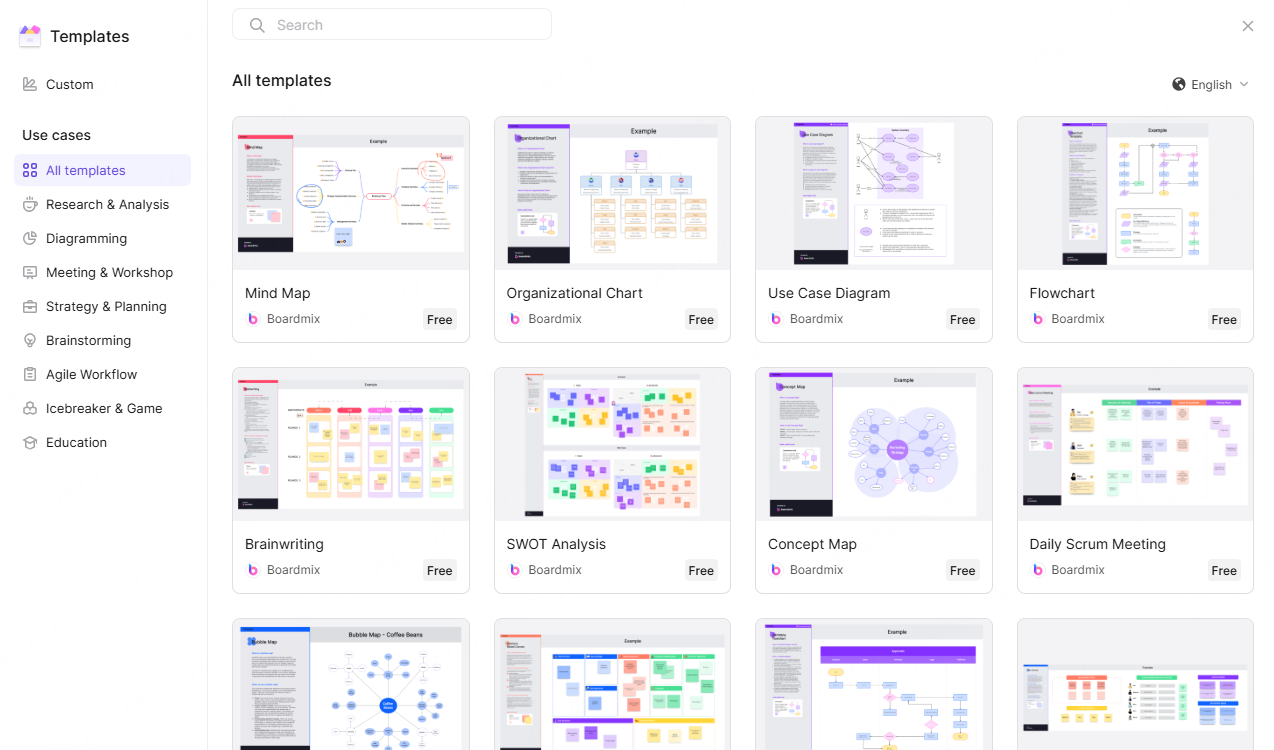
Pixso provides a comprehensive, built-in design sprint template library tailored specifically for 2026 workflows. Instead of staring at an empty canvas, facilitators can load a complete five-day Google Sprint day-by-day framework pre-populated with instructional prompts, designated voting zones, and built-in timer checkpoints.
Furthermore, Pixso includes specialized frameworks customized for complex industry verticals:
- B2B SaaS Dashboards: Pre-structured mapping layouts optimized for multi-user role permissions, complex data tables, and enterprise approval workflows.
- Financial Technology: Specialized boards featuring compliance review checkpoints, identity verification flows, and secure transaction storyboards.
- Healthcare Platforms: Clinical mapping templates built around patient onboarding journeys, electronic health record (EHR) clarity, and accessibility standards.
By selecting a pre-configured design sprint template from Pixso's library, facilitators can invite cross-functional participants and jump straight into productive problem-solving immediately.
Part 5: From whiteboard to code: Seamless developer handoff
A notorious failure mode of traditional design sprints is that validated concepts get stuck in design files and never make it into engineering production code. Bridging the gap between creative prototypes and live software architecture is critical for realizing actual business value.
Pixso closes this delivery gap by linking sprint outputs directly to your engineering delivery pipeline. Once your Day 5 user testing confirms a winning product direction, software engineers can inspect the exact high-fidelity prototype inside Pixso's cloud workspace.
The platform automatically extracts clean frontend CSS code, design token parameters, and responsive layout specifications. Because the prototype was constructed using shared enterprise design systems, engineers can replicate the exact visual interface without manual pixel-pushing.
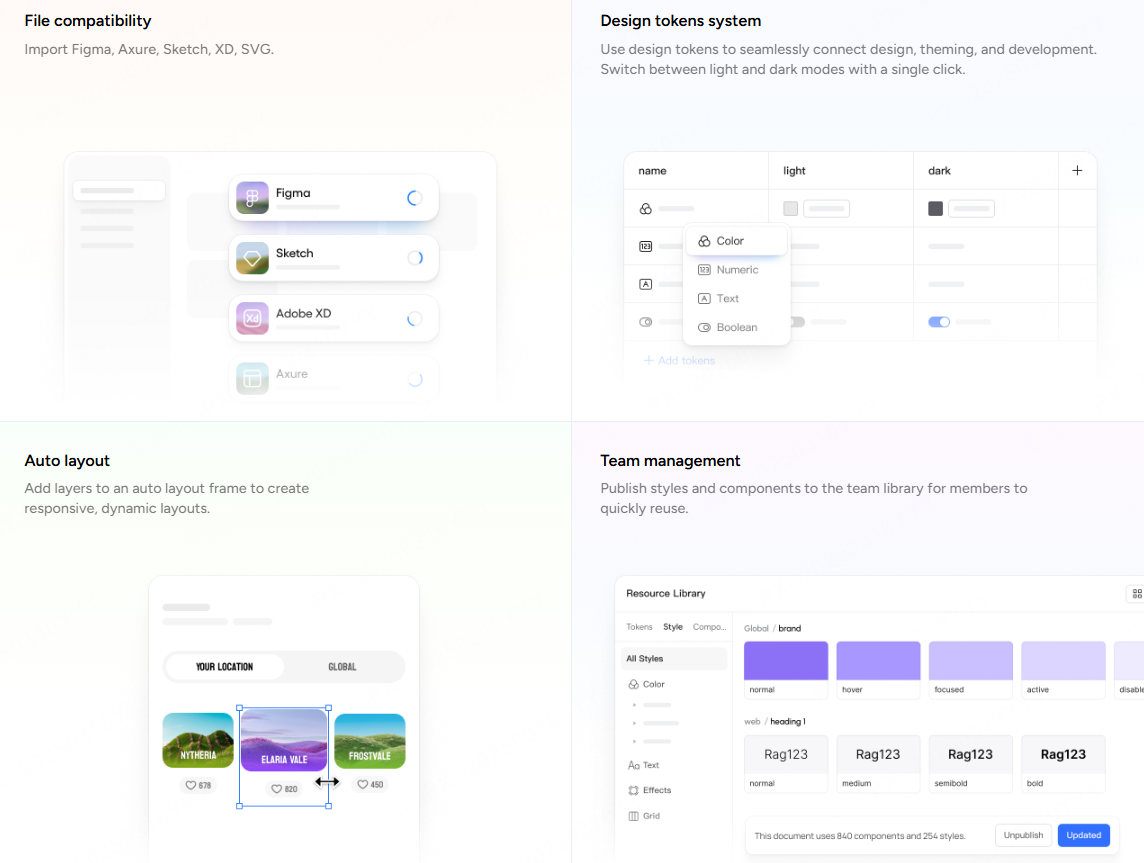
Additionally, sprint conclusions, user testing insights, and validated UI components can be archived directly into your global team library, ensuring successful concepts are immediately accessible for future product builds.
Part 6: Security and compliance: Running sprints in regulated industries
For large enterprises operating in finance, government administration, or medical technology, running remote collaboration sessions on public cloud servers presents severe security liabilities. Uploading unreleased strategic blueprints, proprietary algorithms, or patient journey maps to multi-tenant public SaaS environments can violate strict corporate governance rules and international data privacy laws.
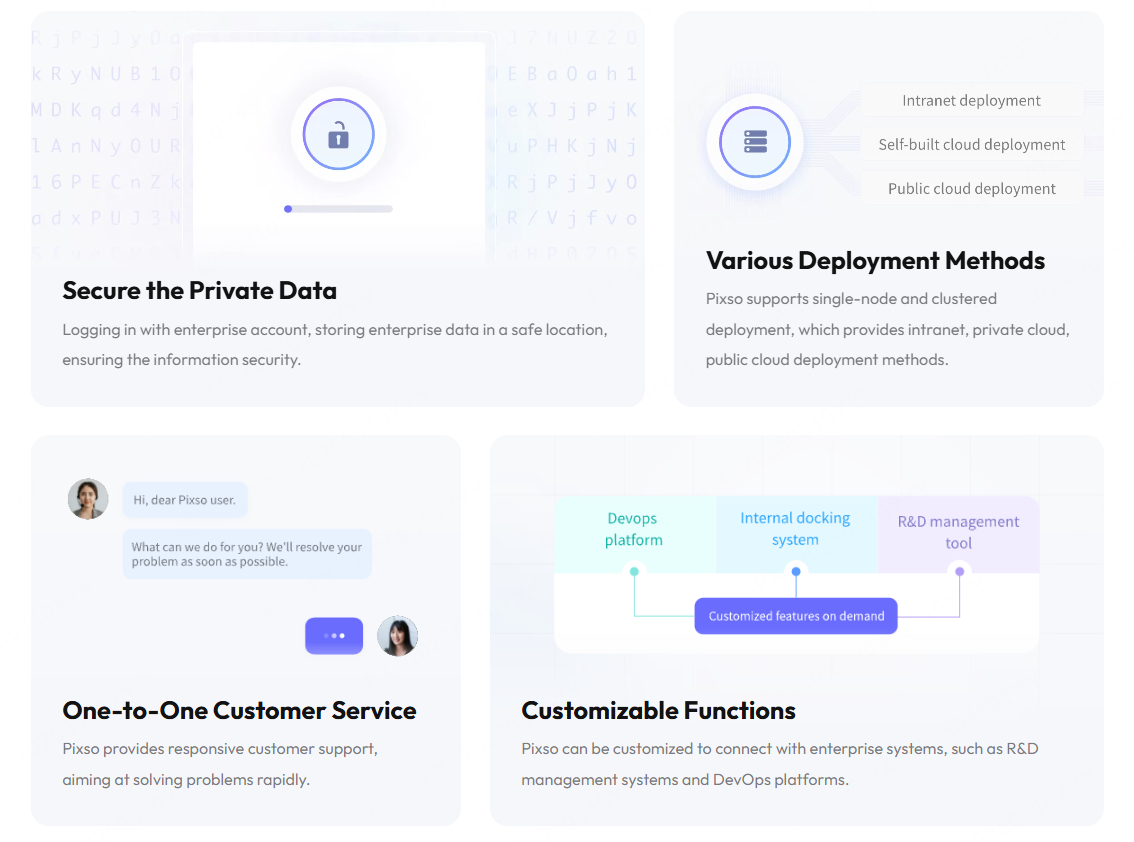
Pixso resolves these enterprise security challenges through its dedicated on-premise private deployment architecture.
ENTERPRISE SECURITY COMPLIANCE
- On-Premise / Private Cloud: Host whiteboards on internal hardware
- Air-Gapped Intranet: Keep sensitive sprint brainstorming local
- Full Audit Logs: Track alluser access and export requests
Organizations can deploy Pixso's entire whiteboard, vector design, and prototyping ecosystem directly onto their own local bare-metal servers, private corporate clouds, or physically isolated air-gapped facilities. All AI inference, sticky note sorting, and design file archiving occur strictly inside your secure corporate intranet.
Pixso also provides comprehensive behavioral audit logs, single sign-on (SSO) active directory integration, and expiring link watermarks. This empowers strict compliance teams to run agile product discovery sprints while fully satisfying GDPR, HIPAA, and FISMA regulatory standards.
Conclusion
Mastering how to run a design sprint is essential for product teams looking to innovate rapidly while minimizing financial risk. By adopting a structured five-day validation process, utilizing industry-specific templates, and centralizing collaboration within Pixso, you can eliminate software friction and turn rough sketches into validated software. Deploy Pixso's unified canvas today to streamline your brainstorming, automate your prototyping workflows, and ship user-approved products faster than ever.